
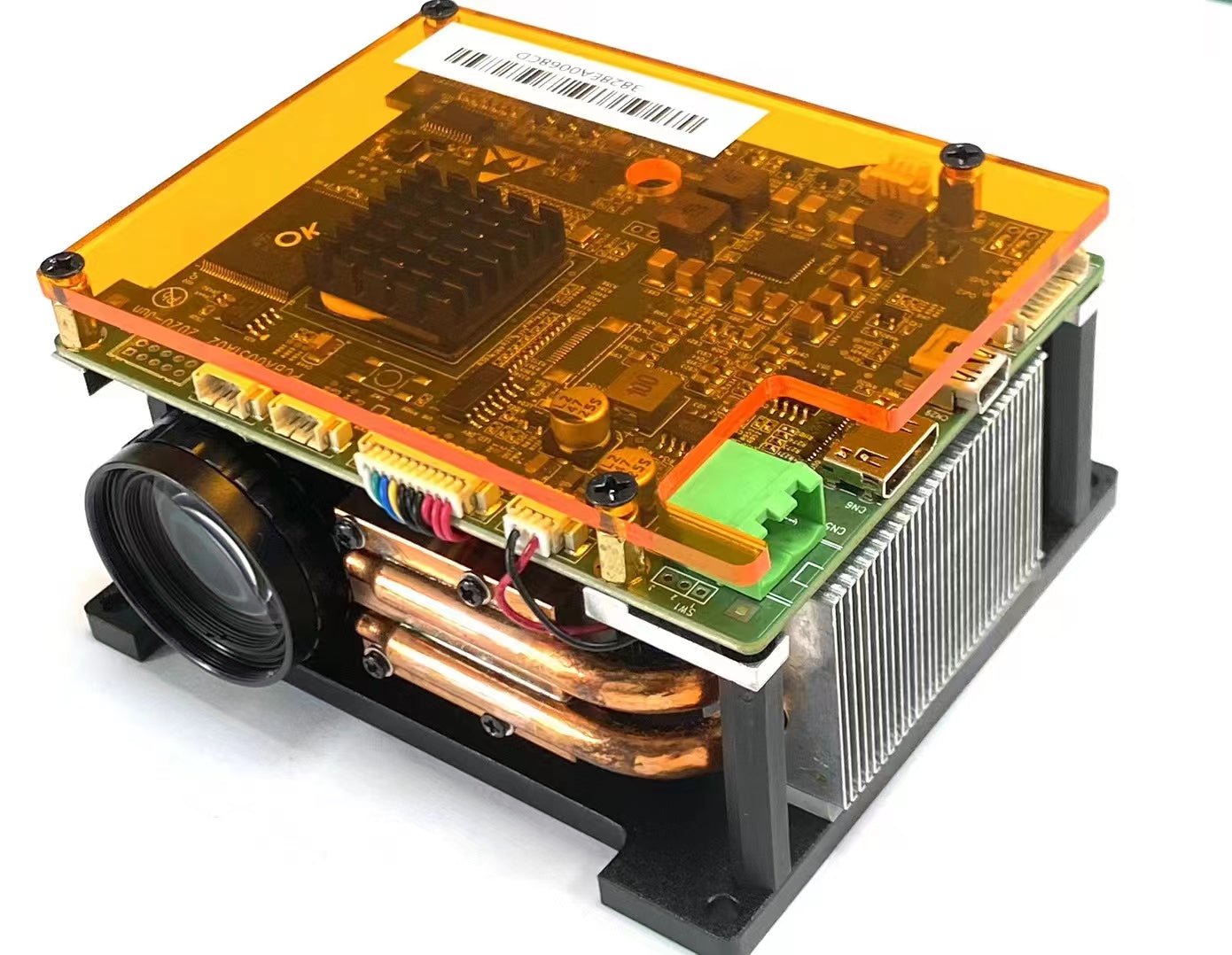
UV projectors are critical components in resin-based DLP 3D printing . Selecting the right one ensures print quality, speed, and reliability. Here’s a breakdown of key factors to consider:
1. Interface Compatibility
HDMI/USB/DP: Ensure the projector supports your printer’s control board (e.g., Raspberry Pi, dedicated controllers). HDMI is common for DLP projectors, while LCD printers often use USB or proprietary interfaces.
Software Integration: Check if the projector works with slicing software like Chitubox or Lychee. Some require custom firmware.
2. Build Area (Projection Size)
Match the projector’s image size to your printer’s vat dimensions. Larger build areas need higher brightness and uniform light distribution.
Throw Ratio: Short-throw projectors are ideal for compact printers, while standard-throw suits larger setups.
3. Resolution & Pixel Size
Resolution (e.g., 1080p, 4K): Higher resolution (smaller pixels) improves detail but may reduce print speed. For miniatures, 4K is preferable; for prototypes, 1080p may suffice.
XY Accuracy: Pixel pitch (e.g., 50µm) directly affects layer precision. Calculate based on your printer’s optical system.
4. UV Wavelength & Power
Wavelength: Most resins cure at 365–405 nm. Verify projector specs match your resin’s requirements.
Light Intensity (mW/cm²): Higher intensity speeds up curing but may require cooling systems. Balance power with resin sensitivity.
5. Cost vs. Performance
Budget Options: Chinese OEM projectors (e.g., Wintech, Cree) offer decent performance at lower costs but may lack durability.
Premium Brands: Brands like Texas Instruments (DLP chips) provide reliability but at 2–3x the price.
6. Longevity & Maintenance
LED Lifespan: Look for projectors rated for 20,000+ hours. Replaceable LEDs reduce long-term costs.
Cooling Systems: Active cooling (fans) prevents overheating during long prints.
Final Tips
Test Compatibility: Borrow or rent a projector before purchasing.
Community Reviews: Check forums (e.g., Reddit’s r/3DPrinting) for real-world feedback.
By weighing these factors, you can optimize print quality while staying within budget. More choices ,please visit https://sicubeshop.com
Share:
Why Use a UV Projector for DLP 3D Printing?
SICUBE has launched its new official website https://sicubeshop.com
46 코멘트
7fp1f8
2ia2xx
rpk0lv
ckq9g1
1u8ywi