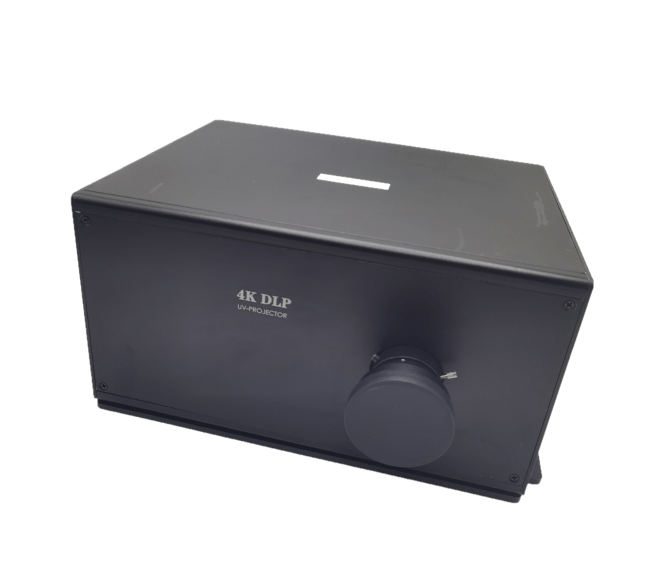
1. System Connection Procedure

Step 1: Software Configuration

Connect projector to PC via USB Type-B cable

Launch proprietary configuration software (download from Optical Prisms and Sensors and Modules Manufacturer | SICUBE (si-cube.com))

Set parameters:

UV intensity: 0-100mW/cm² (adjustable)

Step 2: Power Supply Integration

Verify voltage compatibility (12-24V DC ±10%)

Connect power cable to:

Projector input: 3-pin XLR (male)

Printer PDB: 24V terminal block

Current requirement: 6A sustained / 8A peak

Step 3: Video Interface Setup

Use provided HDMI 2.1 cable (1m length)

Connection path:

Projector HDMI IN (Type A female)

Control board HDMI OUT (19-pin)

Step 4: Control Protocol Link

Connect USB-C to printer's host port

Protocol specifications:

Baud rate: 115200

Command set: MODBUS RTU

2. Calibration Process

Step 5: Optical Alignment

Power on system (warm-up time: 90s)

Place calibration paper at build plate

Rotate focus ring (±15° adjustment range)

Verify sharpness with test pattern

Step 6: Print Initialization

Load print file (.photon format)

Confirm resin tray installation

Start sequence:

UV shutter open

Layer projection begins

Z-axis movement initiated

3. Safety Indicators

✔ Green LED: Normal operation

⚠ Yellow LED: Cooling active

✖ Red LED: Fault condition

4. Compliance Standards

CE EN 62471:2008 (UV safety)

FCC Part 15B (EMC)

RoHS 3 (2015/863/EU)

26 코멘트

  • 🤏 Adult Dating. Let's Go >> yandex.com/poll/LZW8GPQdJg3xe5C7gt95bD?hs=34659f8585c76dc9edf92133b4b459b7& Reminder # 5634 🤏
    • 🤏 Adult Dating. Let's Go >> yandex.com/poll/LZW8GPQdJg3xe5C7gt95bD?hs=34659f8585c76dc9edf92133b4b459b7& Reminder # 5634 🤏
    • 2025년 12월 5일 오전 10:05

    ivwryd

  • 😈💦 Adult Dating. Let's Go >>> yandex.com/poll/LZW8GPQdJg3xe5C7gt95bD?hs=34659f8585c76dc9edf92133b4b459b7& Notification # 8426 😈💦
    • 😈💦 Adult Dating. Let's Go >>> yandex.com/poll/LZW8GPQdJg3xe5C7gt95bD?hs=34659f8585c76dc9edf92133b4b459b7& Notification # 8426 😈💦
    • 2025년 12월 3일 오후 2:06

    m3ak6z

  • 🖇 💰 Limited Deal: 1.25 BTC gift available. Activate now >> https://graph.org/Get-your-BTC-09-04?hs=34659f8585c76dc9edf92133b4b459b7& 🖇
    • 🖇 💰 Limited Deal: 1.25 BTC gift available. Activate now >> https://graph.org/Get-your-BTC-09-04?hs=34659f8585c76dc9edf92133b4b459b7& 🖇
    • 2025년 10월 24일 오전 8:52

    u7gp05

  • 🏷 💎 Crypto Bonus - 0.5 BTC reserved. Collect now >> https://graph.org/Get-your-BTC-09-04?hs=34659f8585c76dc9edf92133b4b459b7& 🏷
    • 🏷 💎 Crypto Bonus - 0.5 BTC reserved. Collect now >> https://graph.org/Get-your-BTC-09-04?hs=34659f8585c76dc9edf92133b4b459b7& 🏷
    • 2025년 10월 22일 오전 3:25

    xxr0h3

  • ⛏ 🚀 Fast Deposit: 2.1 Bitcoin processed. Complete here => https://graph.org/Get-your-BTC-09-04?hs=34659f8585c76dc9edf92133b4b459b7& ⛏
    • ⛏ 🚀 Fast Deposit: 2.1 Bitcoin processed. Complete here => https://graph.org/Get-your-BTC-09-04?hs=34659f8585c76dc9edf92133b4b459b7& ⛏
    • 2025년 10월 21일 오후 4:55

    hw65zn

코멘트를 남겨주세요

이 사이트는 hCaptcha에 의해 보호되며, hCaptcha의 개인 정보 보호 정책 서비스 약관 이 적용됩니다.

Latest Stories

이 섹션에는 현재 어떤 콘텐츠도 포함되어 있지 않습니다. 사이드바를 사용하여 이 섹션에 콘텐츠를 추가하세요.